Dev Blog
Hi, this is the Stranded III development blog (see also Forum Thread, Comment Thread).
Entry 122 - Water - July 26, 2026
Whoops!
Long time no dev blog. Sorry! I've put a bit too much time into making a little traffic education game and some other small side projects like a browser based CS2D map viewer.
Water
Of course there's progress in Stranded III anyway. I've put a lot of time into water related stuff for instance.
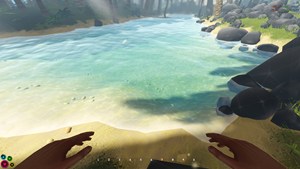
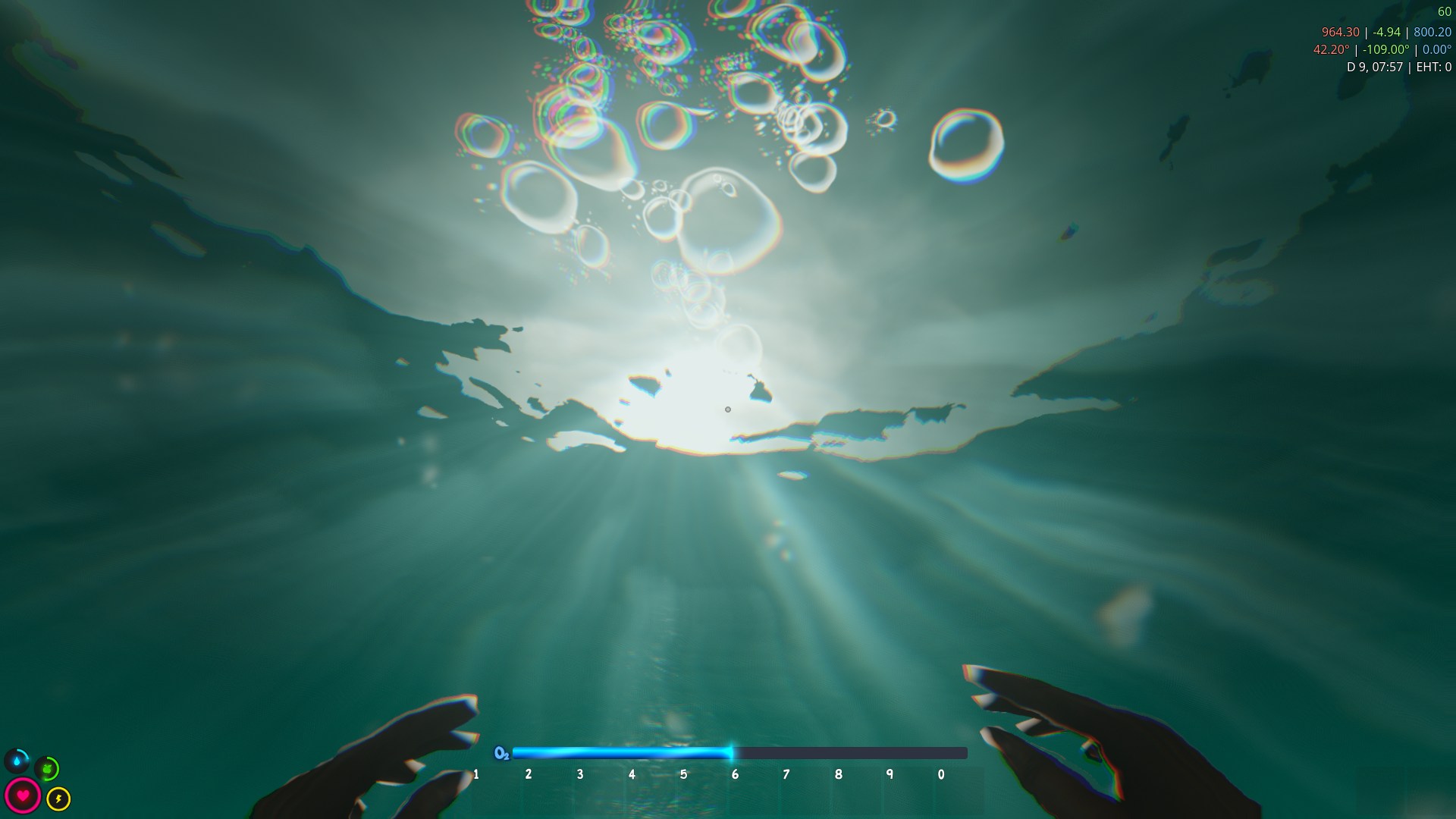
I added a water shader with caustics, distortion, edge foam etc.
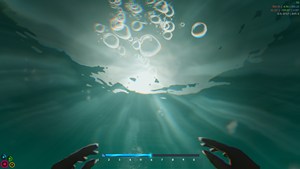
In theory there could be physical 3D waves too but this comes with some problems so I decided against it for now. Diving and related effects were improved as well.

Sea/Dive (click for gif)
I also added bubbles and other particle effects for water interaction. Unfortunately they are not really visible in the gif above.
Rivers and Lakes
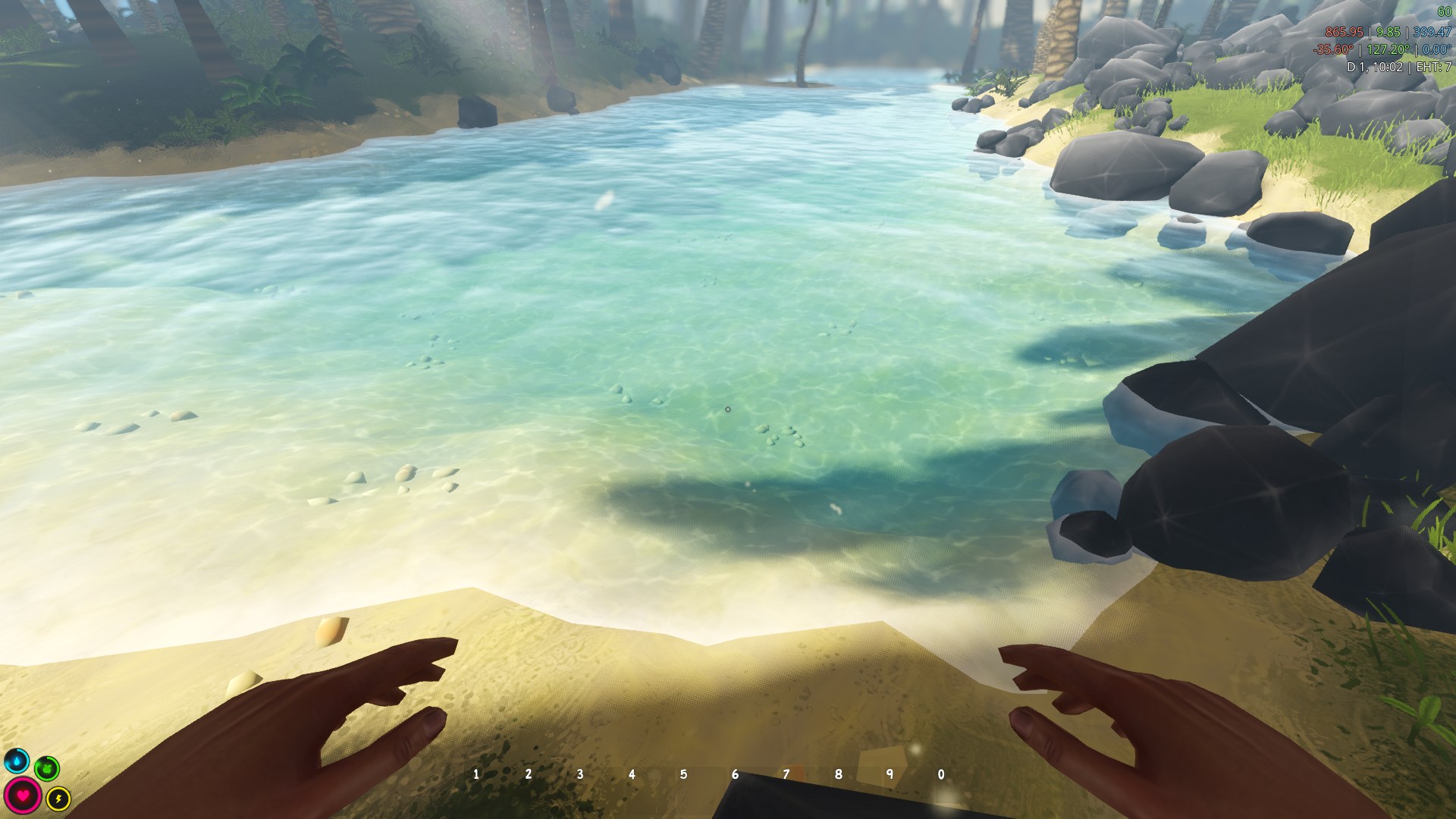
Rivers and lakes are another topic which I covered in earlier dev blog posts already but they were not implemented in the new Godot version of Stranded III yet.
I changed that now. They use a slightly adjusted version of the sea shader for the water surface and they can be easily created with a nice little editor tools.

Creating a River (click for gif)
The river tool works by clicking to set a point, moving the mouse to set the size and clicking again to confirm it. This is repeated as often as you like. When you're done with setting all points you confirm and the game carves a river bed into the terrain and fills it with water.
This feature still needs some tweaks. Sometimes the water is too high or river banks don't look clean enough. Some proper smoothing is missing at some points. But in general it works pretty well already.
Lakes work by clicking, moving the mouse to set the water level and then releasing. It will then fill the area with water. If it is enclosed. Otherwise it cancels to prevent that the whole map is flooded.
The water system uses a separate mesh, internally split up per terrain chunk. Basically a second heightmap just for water. This makes it easy to connect rivers and lakes seamlessly. Vertex colors are used internally to encode flow speeds for the shader. Those are automatically calculated based on height differences. You can also sculpt the water freely like the terrain. This allows you to form weird water blobs which wouldn't be physically possible in real world. Not sure if I'll add restrictions to this later. Right now it's only there for fine tuning auto generated water stuff but it also provides a way to manually create rivers and lakes.
There are plans to support different types of water. Some are safe to drink, others can cause diseases. But that's not fully implemented yet.
Undo/Redo
And finally a breakthrough in the history of Unreal Software!
I add map editors to most of my games but none of them had solid undo/redo feature.
The Stranded III map editor now has one. You can undo and redo multiple steps. You dislike the river you created? Undo. You overpainted the terrain textures in ugly ways? Undo. The mountain you sculpted looks stupid? Undo. Mistakes are finally allowed and you can easily recover from them.
Long time no dev blog. Sorry! I've put a bit too much time into making a little traffic education game and some other small side projects like a browser based CS2D map viewer.
Water
Of course there's progress in Stranded III anyway. I've put a lot of time into water related stuff for instance.
I added a water shader with caustics, distortion, edge foam etc.
In theory there could be physical 3D waves too but this comes with some problems so I decided against it for now. Diving and related effects were improved as well.
Sea/Dive (click for gif)I also added bubbles and other particle effects for water interaction. Unfortunately they are not really visible in the gif above.
Rivers and Lakes
Rivers and lakes are another topic which I covered in earlier dev blog posts already but they were not implemented in the new Godot version of Stranded III yet.
I changed that now. They use a slightly adjusted version of the sea shader for the water surface and they can be easily created with a nice little editor tools.
Creating a River (click for gif)The river tool works by clicking to set a point, moving the mouse to set the size and clicking again to confirm it. This is repeated as often as you like. When you're done with setting all points you confirm and the game carves a river bed into the terrain and fills it with water.
This feature still needs some tweaks. Sometimes the water is too high or river banks don't look clean enough. Some proper smoothing is missing at some points. But in general it works pretty well already.
Lakes work by clicking, moving the mouse to set the water level and then releasing. It will then fill the area with water. If it is enclosed. Otherwise it cancels to prevent that the whole map is flooded.
The water system uses a separate mesh, internally split up per terrain chunk. Basically a second heightmap just for water. This makes it easy to connect rivers and lakes seamlessly. Vertex colors are used internally to encode flow speeds for the shader. Those are automatically calculated based on height differences. You can also sculpt the water freely like the terrain. This allows you to form weird water blobs which wouldn't be physically possible in real world. Not sure if I'll add restrictions to this later. Right now it's only there for fine tuning auto generated water stuff but it also provides a way to manually create rivers and lakes.
There are plans to support different types of water. Some are safe to drink, others can cause diseases. But that's not fully implemented yet.
Undo/Redo
And finally a breakthrough in the history of Unreal Software!
I add map editors to most of my games but none of them had solid undo/redo feature.
The Stranded III map editor now has one. You can undo and redo multiple steps. You dislike the river you created? Undo. You overpainted the terrain textures in ugly ways? Undo. The mountain you sculpted looks stupid? Undo. Mistakes are finally allowed and you can easily recover from them.